The AI photo upscaler that actually recovers detail. Boost any image up to 8K resolution in one click. Powered by Seed VR 2.
Drag & drop your image, or paste from clipboard
No image handy? Try a sample
Three steps. Under 30 seconds. No software to install.
Drag and drop any JPG, PNG, or WebP. Or paste from your clipboard. No file size limit on standard images.
Seed VR 2 analyzes your image and reconstructs detail at higher resolution. Choose 2x, 4x, or 8x.
Get your upscaled image in PNG, JPG, or WebP. Full resolution, ready for print, web, or your product pipeline.
Not another picture upscaler that just stretches pixels. Here is what you actually get.
Most upscalers just stretch pixels. Seed VR 2 reconstructs textures, sharpens edges, and fills in detail that was never in the original image. Faces, text, fabric, fur: it handles all of them.
Go from a small thumbnail to print-ready resolution. Use it as a photo upscaler at 2x for quick social posts, or push to 4K or 8K for large-format printing and professional photography.
Upload, pick your scale, download. Most images process in under 30 seconds. No desktop app to install, no GPU to manage. It runs on Floyo's cloud infrastructure.
This tool runs on a ComfyUI workflow powered by Seed VR 2. You can see the exact workflow, customize it, or build your own version using the Floyo API.
A picture upscaler for photographers, sellers, designers, and developers. Here is how they use it.
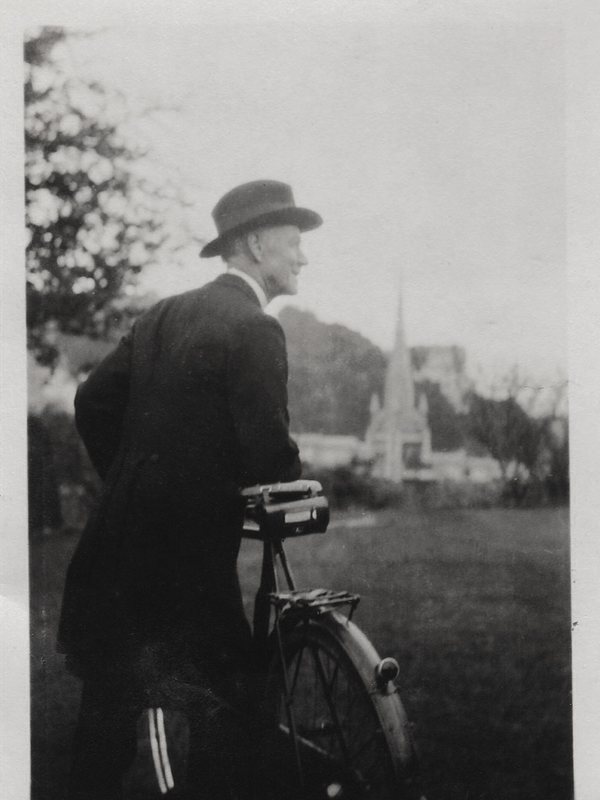
Upscale older photos or crop-heavy shots to print resolution without losing sharpness. Export at 300 DPI for gallery prints.
Turn phone photos into high-res product images. Use the AI photo upscaler to clean up compression artifacts and upscale product shots to 4K for marketplace listings.
Upscale stock images, client assets, or social media visuals. Get 4K or 8K output from low-res source files.
Upscale sprites, textures, and pixel art while preserving the visual style.
Use the Floyo API to batch-process thousands of images programmatically. Build upscaling into your own product.
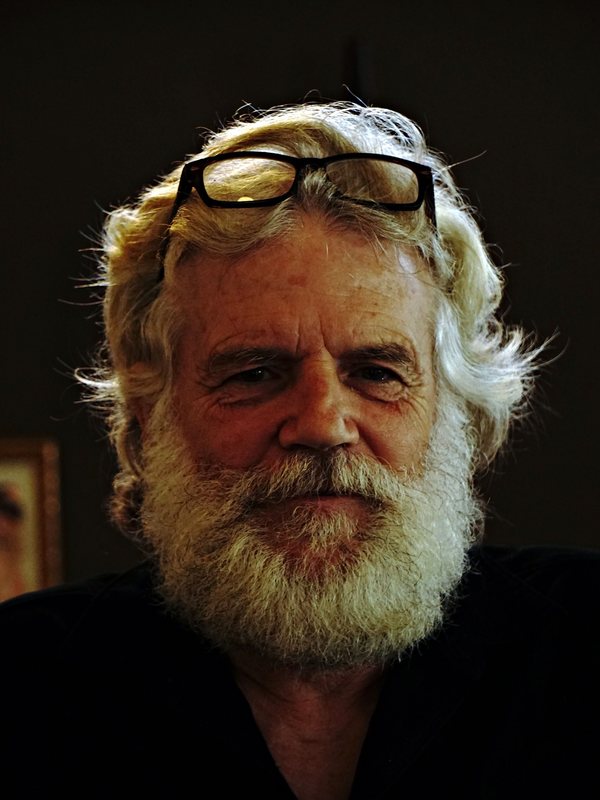
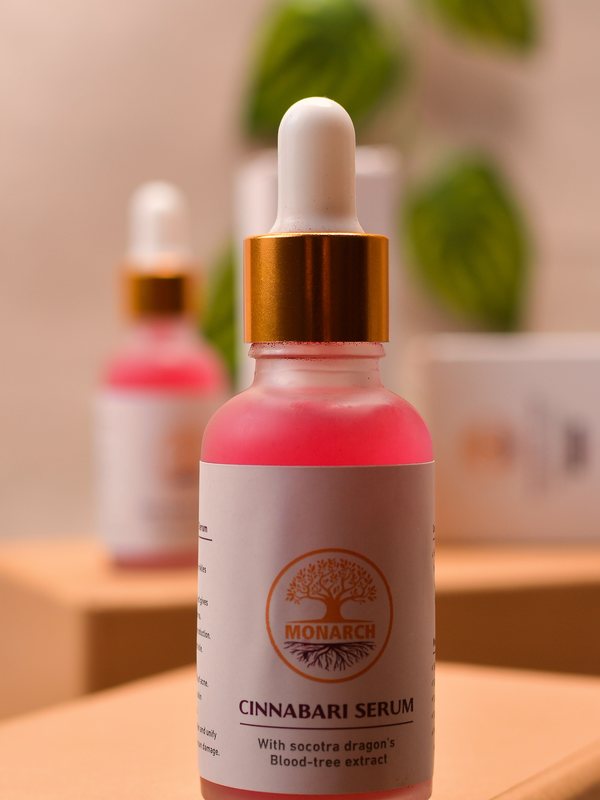
Real examples. Each pair shows the recovered detail, before and after.
BeforeAfter
BeforeAfter
BeforeAfter
BeforeAfterMost upscalers sharpen what is already there. Seed VR 2 generates what should be there.
Older models like Real-ESRGAN apply learned sharpening filters. Seed VR 2 uses a diffusion architecture that generates new, plausible detail pixel by pixel. The difference is visible on complex textures: skin pores, individual hairs, woven fabric, tree bark.
Face upscaling is where most tools break. Seed VR 2 is trained on high-fidelity face data, so it recovers realistic eyes, skin texture, and facial structure instead of the waxy, over-smoothed look you get from generic upscalers.
Portraits, landscapes, product shots, screenshots, pixel art, old scanned photos. Seed VR 2 adapts to the content rather than applying one strategy to everything. Text stays sharp. Gradients stay smooth. Edges stay clean.
Seed VR 2 is developed by ByteDance and available as an open-source model. You can inspect the architecture, read the paper, and verify the results. Most competitors hide their models behind "proprietary AI" with no way to evaluate what you are getting.
This tool runs on the Floyo API. Everything you see here, you can call programmatically.
Send an image, specify the workflow, get the upscaled result back. The Floyo API handles GPU allocation, model loading, and queue management. No infrastructure to set up.
Upscale hundreds or thousands of images in a single job. Process an entire product catalog, a photo archive, or user-uploaded content at scale.
The upscaler runs as a ComfyUI workflow. Swap in a different model, add pre-processing steps, chain it with face restoration or background removal. You control the pipeline.
Floyo is the only platform with team collaboration for ComfyUI. Share workflows, run history, and assets across your team. Everyone works from the same pipeline.
An AI image upscaler is a tool that uses a neural network to increase image resolution while adding realistic detail. Unlike simple interpolation (which blurs the image as it stretches), AI upscaling models are trained on millions of image pairs at different resolutions. The model learns what high-resolution detail should look like for a given low-resolution input. When you upload an image, the AI analyzes patterns, textures, and edges, then generates new pixels that match what the higher-resolution version would look like. The result is a larger, sharper image with recovered detail rather than blurry enlargement.
Seed VR 2 is an image super-resolution model developed by ByteDance. It uses a diffusion-based architecture to generate high-quality upscaled images, handling complex textures like skin, hair, fabric, and natural scenes with high fidelity. Unlike older upscaling models (Real-ESRGAN, BSRGAN), Seed VR 2 can generate plausible new detail rather than just sharpening existing pixels. Floyo runs Seed VR 2 as a managed ComfyUI workflow through its API, so you get state-of-the-art quality without setting up infrastructure.
Floyo is a platform for running AI workflows. It started as ComfyUI Flow, a visual workflow builder for AI tasks. This image upscaler runs on a Floyo-hosted ComfyUI workflow using Seed VR 2. If you are a developer, you can use the Floyo API to build image upscaling (or any AI workflow) into your own product. Floyo handles GPU infrastructure, model loading, and scaling so you do not have to.
Create a Floyo account and get an API key. Then upload your image and choose your upscale factor. The tool runs on the same Floyo API that powers batch processing and custom workflows.
JPG, PNG, and WebP for upload. Download in any of those formats. We recommend PNG for maximum quality.
Up to 8x the original resolution. A 1000x1000 image becomes 8000x8000. You can choose 2x, 4x, or 8x.
The AI can recover significant detail from blurry or low-resolution images, but results depend on the source quality. It works best on images that are low-resolution but otherwise clean. Heavily compressed or extremely blurry images will improve but will not look like they were shot at 8K.
Yes. Upscaling to 4x or 8x typically gives you enough resolution for high-quality printing at 300 DPI. A 1000px image at 4x becomes 4000px, which prints at about 13 inches at 300 DPI.
Seed VR 2 by ByteDance. It is a diffusion-based super-resolution model that generates realistic detail rather than just sharpening pixels. It runs as a ComfyUI workflow on Floyo's infrastructure.
Most images process in 10 to 30 seconds depending on the original size and the upscale factor.
No. Images are processed on our servers and deleted after your session. We do not store, share, or use your images for training.
The web tool handles one image at a time. For batch processing, use the Floyo API to upscale hundreds or thousands of images programmatically.
Floyo is a platform for running AI workflows. It started as ComfyUI Flow, a visual workflow builder for AI tasks. This image upscaler runs on a Floyo-hosted ComfyUI workflow using Seed VR 2. If you are a developer, you can use the Floyo API to build image upscaling (or any AI workflow) into your own product. Try it at floyo.ai.
ComfyUI is an open-source visual workflow builder for AI image and video generation. It lets you chain together AI models, processors, and transformations into custom pipelines. Floyo hosts ComfyUI workflows in the cloud so you can run them without local hardware. Browse workflows.
The Floyo API lets developers run any ComfyUI workflow programmatically. You send an API call with your image, specify the workflow (like this upscaler), and get the result back. It handles the GPU infrastructure, model loading, and scaling. Read the API docs.
Floyo is the only platform with team collaboration for ComfyUI. No install. Shared run history, assets and models. Pay only when you generate.